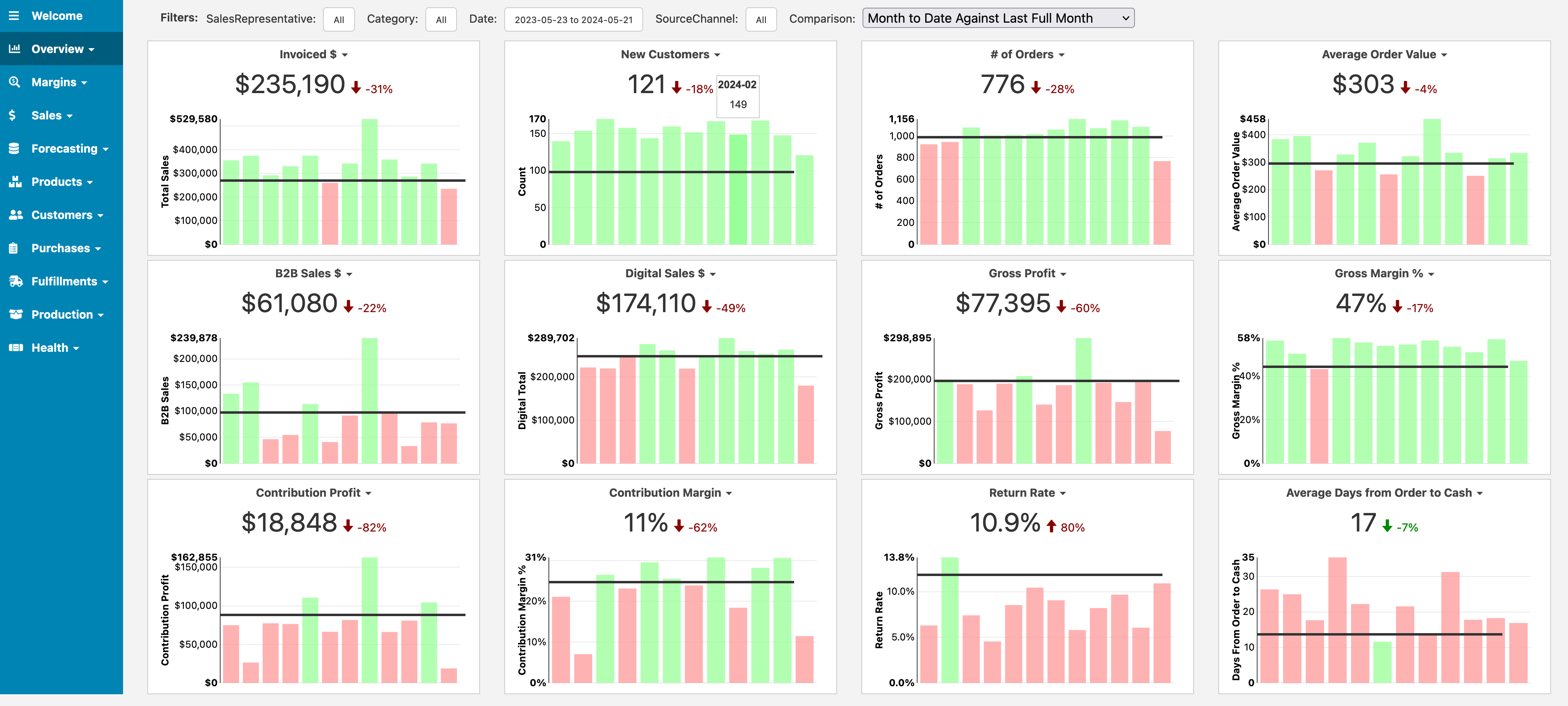
Once you connect Easy Insight to Lightspeed, a prebuilt dashboard will help you get started with common reports we've seen customers need. You can modify any of these reports and you can add or remove reports from the dashboard to fit it to your business needs.
The dashboard contains the following sections:
The Overview provides you with trend charts for invoiced amount, new customers, average order value, gross profit, gross margin, contribution profit, contribution margin, and return rate. You can set monthly goals on these KPIs. You can also toggle the display between a variety of modes--you can sum up values by the time period, look at this month compared to the last full month, this month compared to the last month to the current day, and the last full month compared to the previous month.
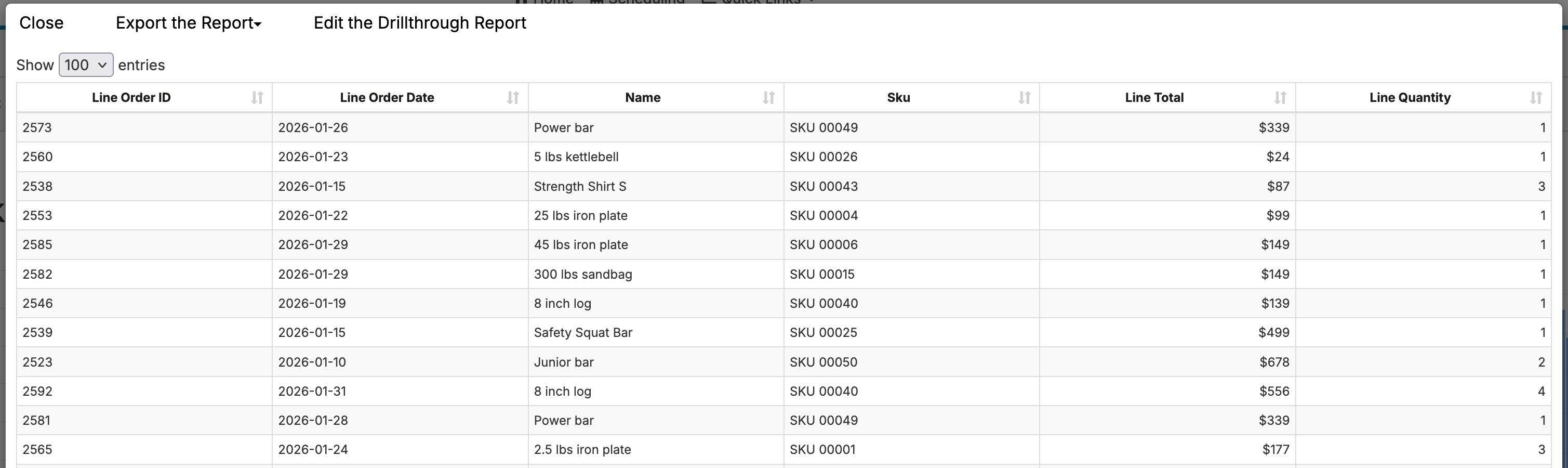
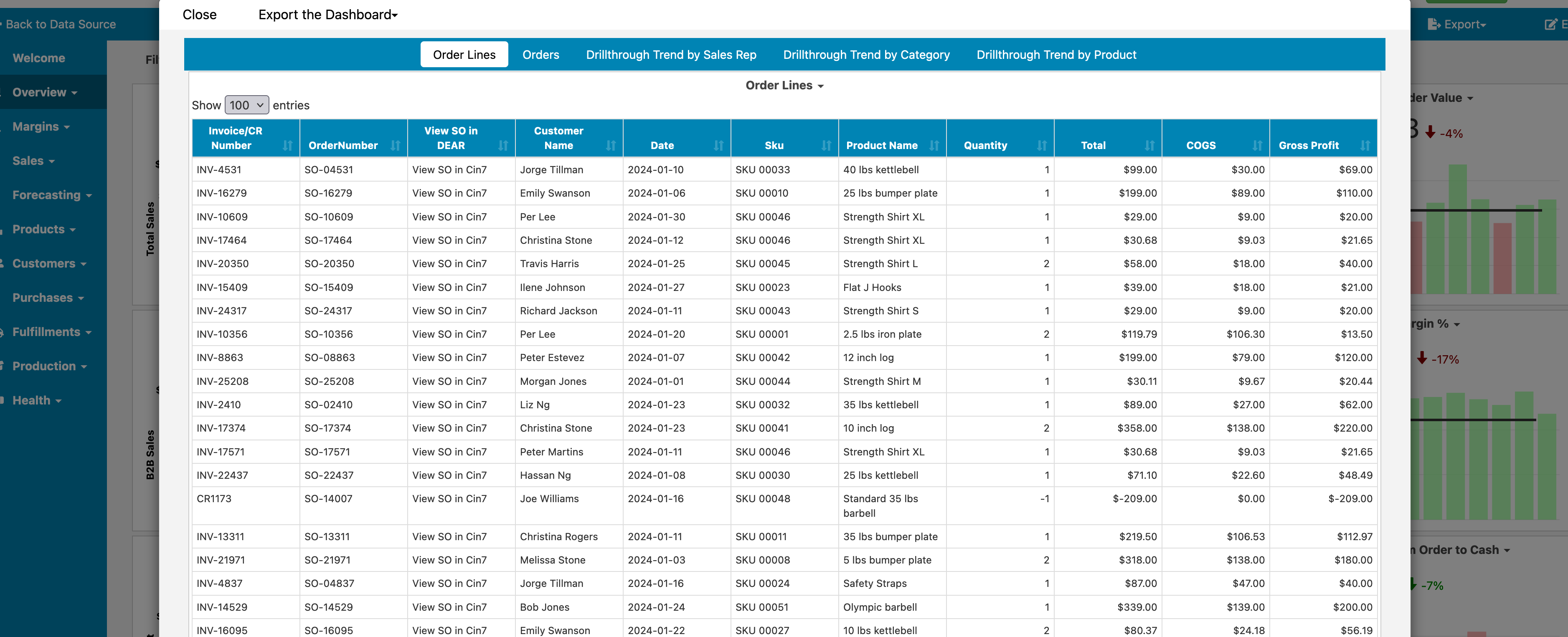
When you click on reports on the dashboard (or on your own custom reports), Easy Insight will drill into details on the data if possible. For example, clicking on order data will pull up a report that includes details of the order lines in the data:
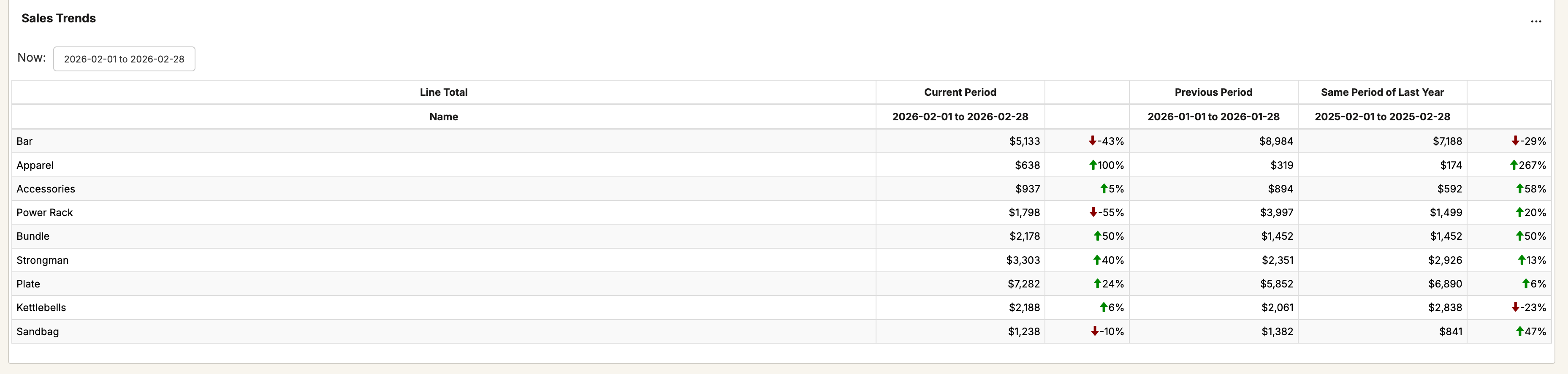
The Sales Trends section enables you to compare sales performance of SKUs, product categories, brands, sales channels, and more. The trend report will compare to the previous time period as well as the same time period in the previous year. You can specify the Comparison grouping and the Metric:
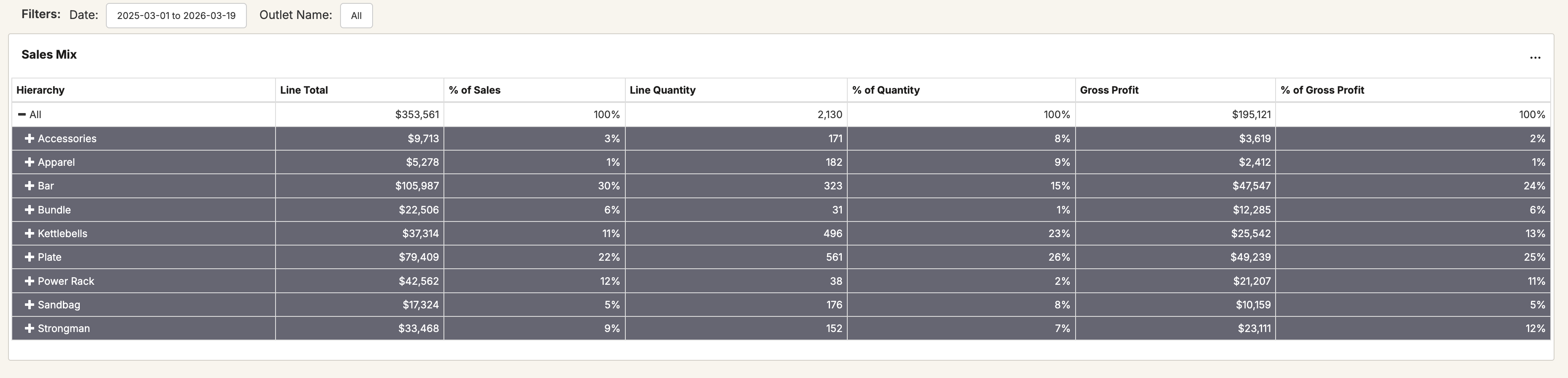
The Sales Mix section lets you look at sales, quantity, and gross profit as both total dollars and % of total. You can open up the tree to look at the % of each SKU within the specified grouping:
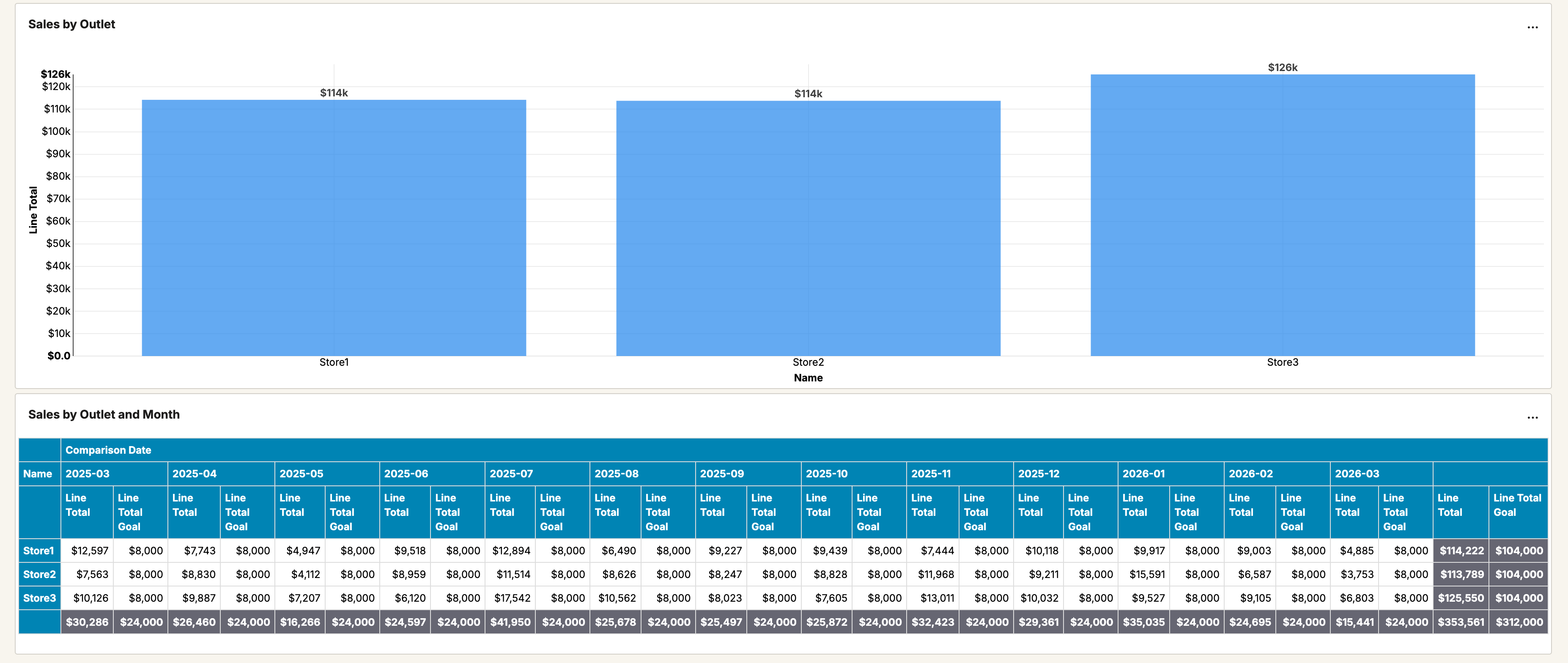
The Sales by Outlet section let you look at total sales by outlet as well as sales by month and outlet.
The Forecasting section includes a list of products with sales velocity, current stock information, days of stock, projected reorder date, and more. The Forecasting by Outlet section has the same data, but with the ability to choose a particular outlet in your data.
For more information on forecasting in Easy Insight, see Forecasting.
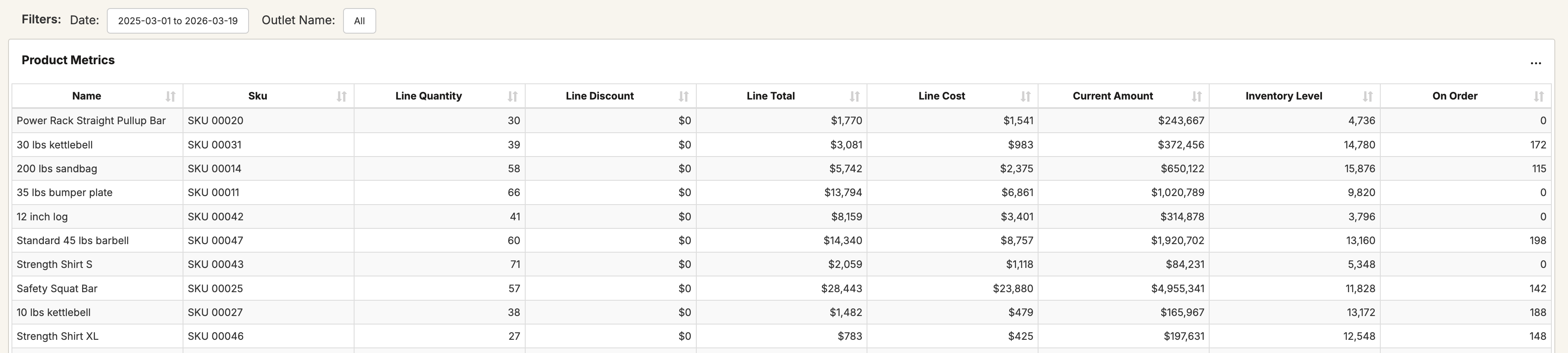
The Products section includes a variety of reports for looking at your products. The Product Metrics report shows you your sales totals, COGS, and more for each SKU in your system.
The Product Prices and Stock page shows you products, average cost, last purchase information, price tier data, stock data, and more.
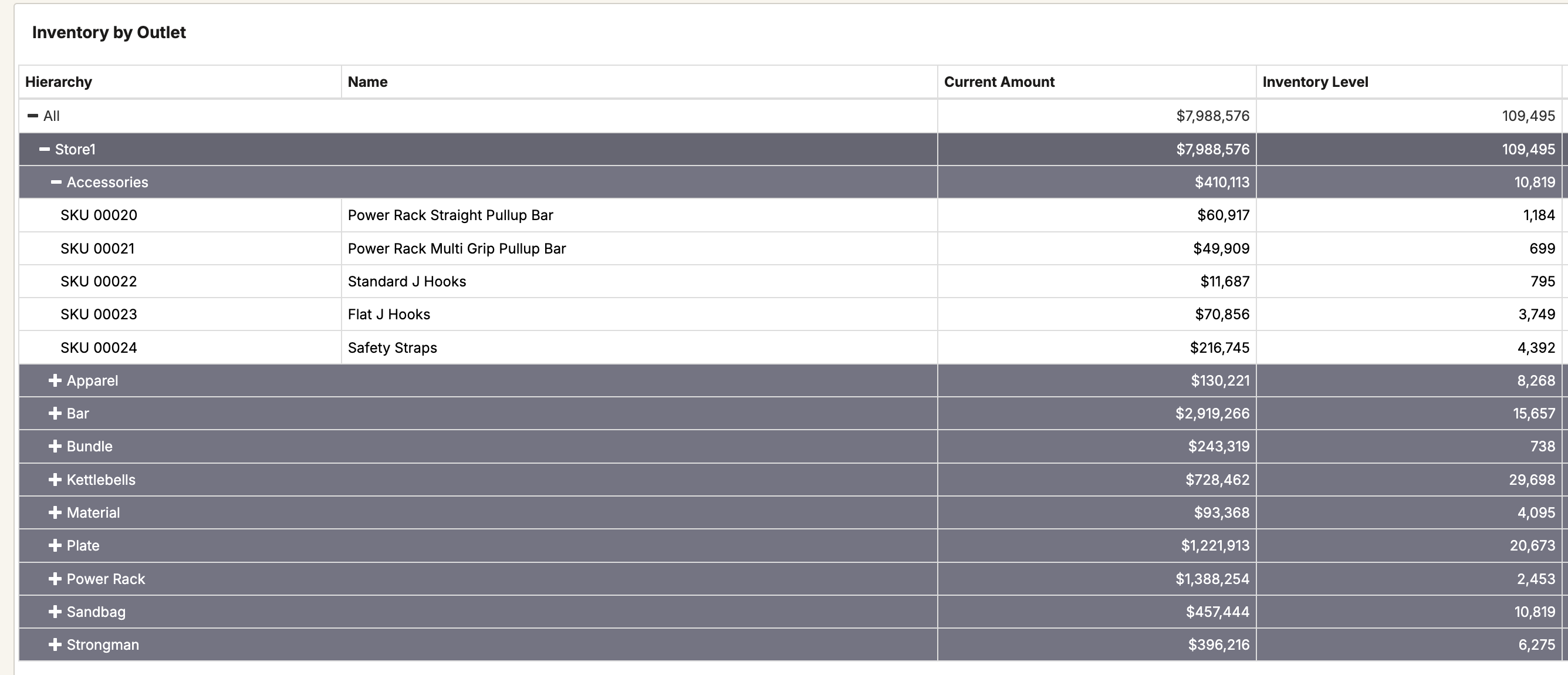
The Inventory by Outlet section provides a tree view of outlet, product category, and product with current stock quantities.